How to Report an Error
On this page:
Overview
As a user of ECHO, you can assist us in maintaining high quality information in our systems. Comments about facility data are normally made by staff at the facility, but the general public can also comment if errors are suspected. Numerous state and local governmental agencies as well as the U.S. EPA are involved in preparing and maintaining the facility-level enforcement and compliance data found on ECHO. These agencies are committed to providing the public with the highest possible quality of information related to each facility's compliance record. To this end, users noticing data errors can send a notification directly from the ECHO website.
We recommend reviewing the known data problems with larger sets of data and state data caveats before reporting a specific error.
How to Report an Error From ECHO Reports
Detailed Facility Report
Follow the steps below to report an error. A video tutorial demonstrating how to report a suspected error is available on ECHO Video Tutorials.
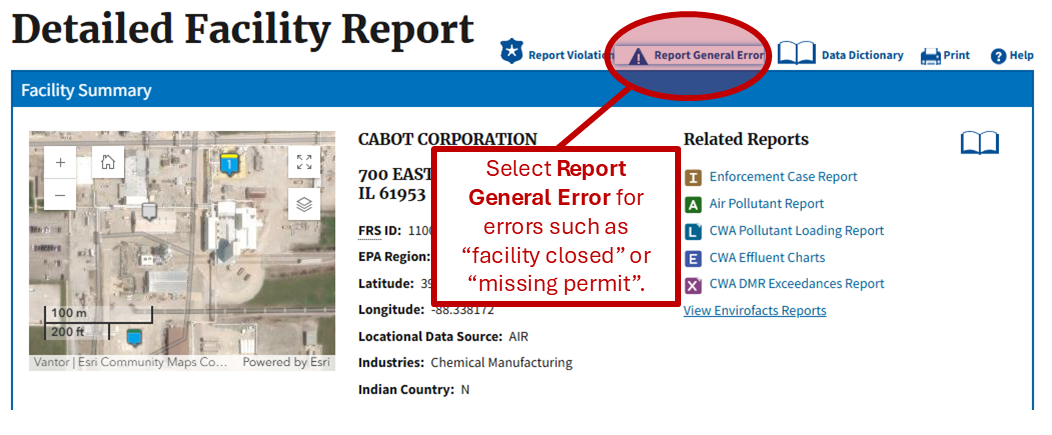
Step 1: Initiate error reporting from the Detailed Facility Report (DFR)

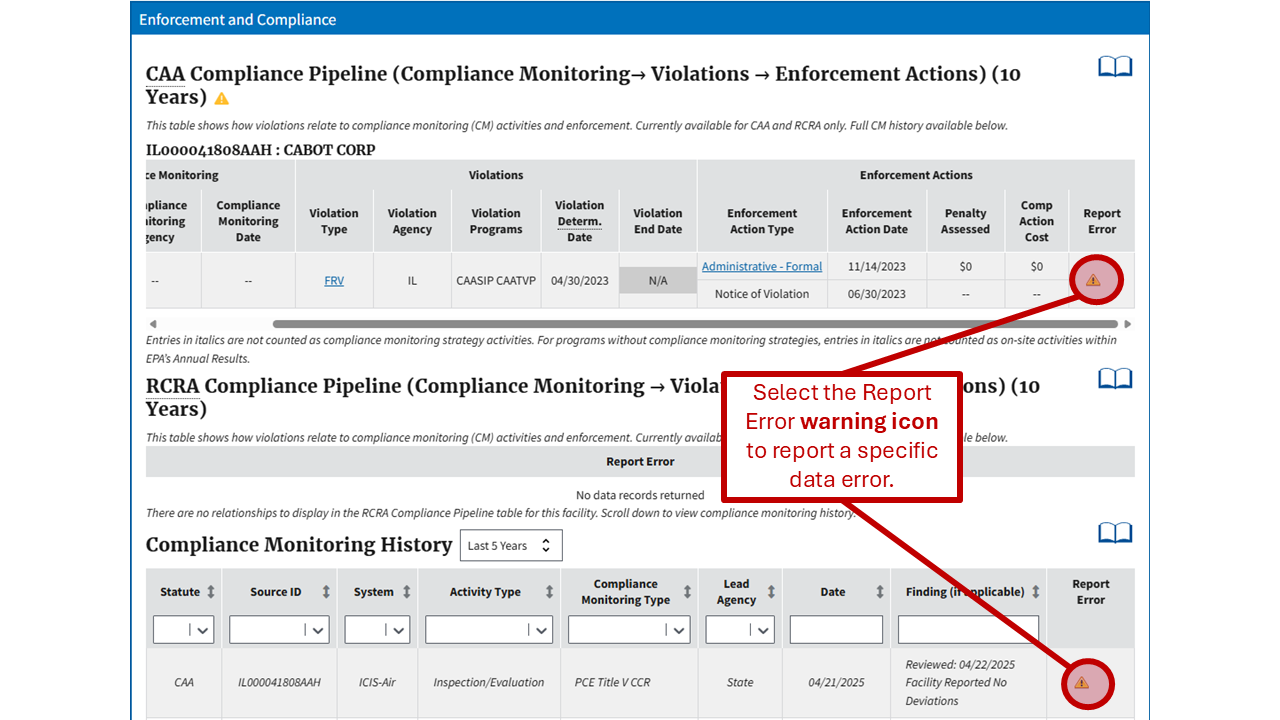
Step 2: Report a general or specific error with DFR
Note: Please consolidate specific data error submissions into one comment if there are multiple errors in the same table.
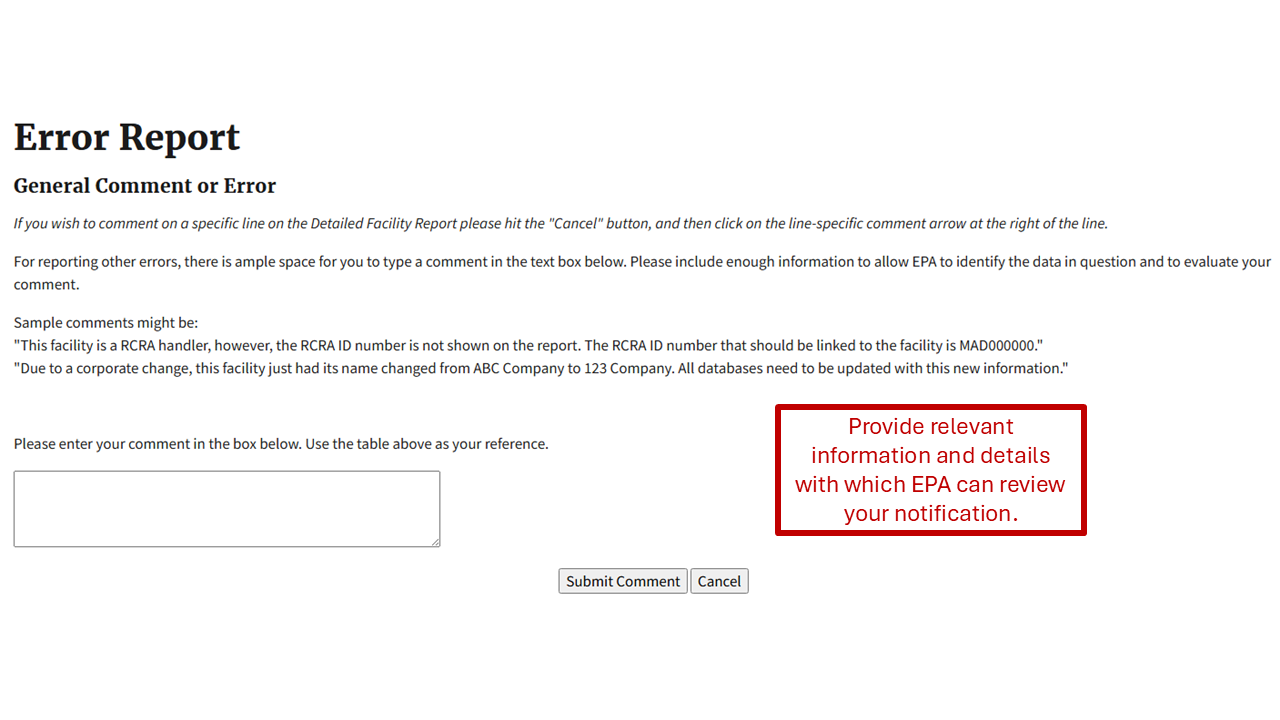
Step 3: Provide contact information

Read EPA's Notice of Use
Step 4: Submit your comment
Effluent Charts
See Effluent Charts Help for instructions on how to report a suspected error in an effluent chart or table.
Civil or Criminal Enforcement Case Report
See the Civil Enforcement Case Report Help or the Criminal Enforcement Case Report Help for instructions on how to report a suspected error on an enforcement case report.
Error Reporting Data Flow
The error reporting form will ask for the submitter's contact information in order to keep the submitter informed of progress in addressing the report. Please include enough information to allow EPA to identify the data in question. This information is not made available for any other purposes (see Notice of Use).
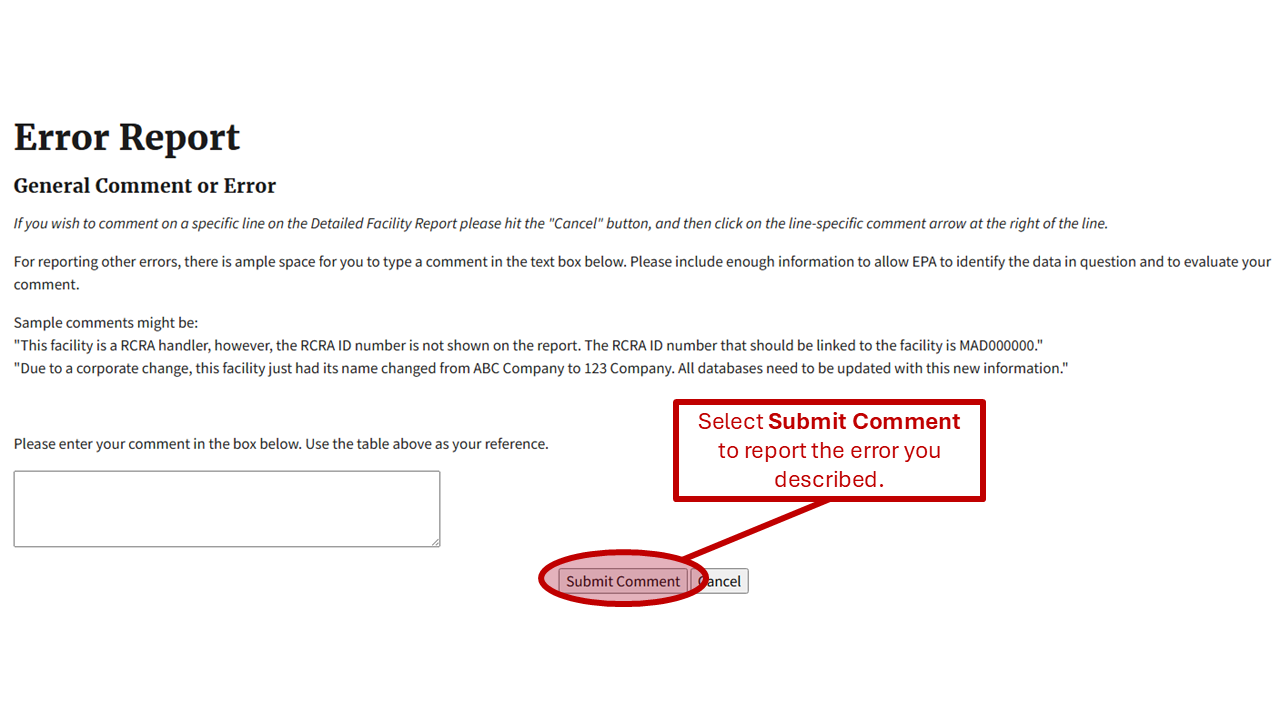
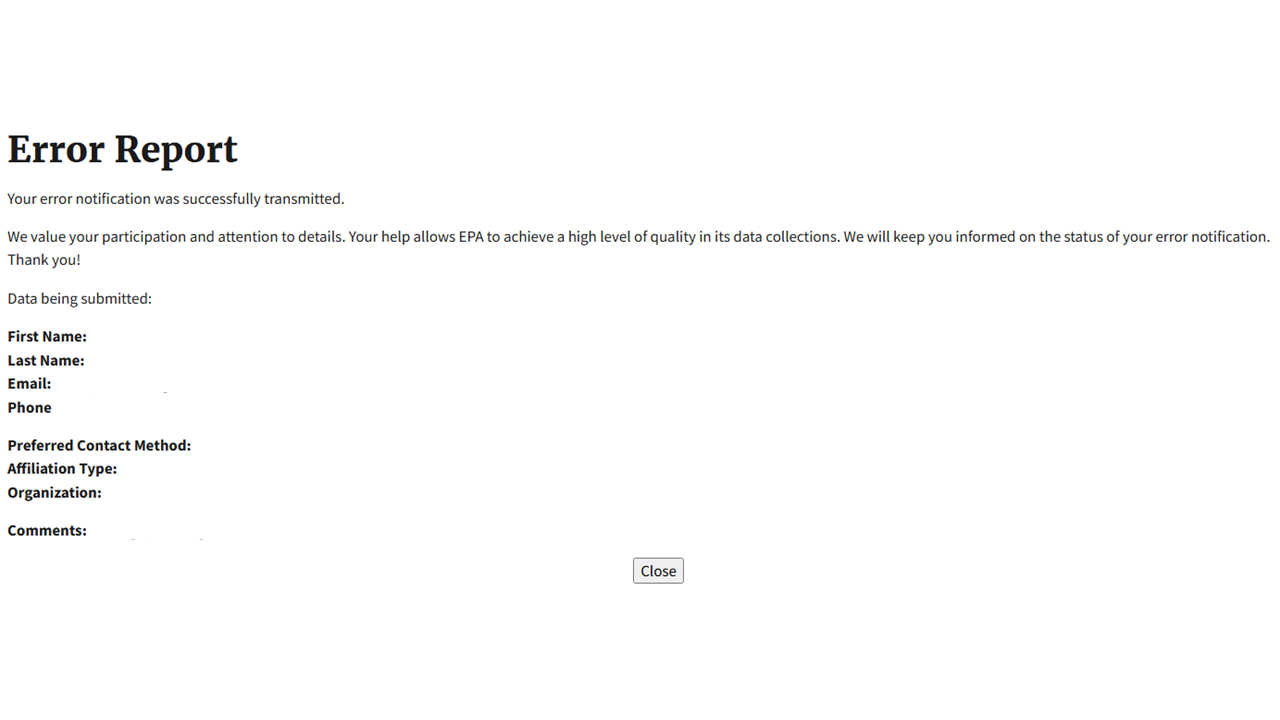
Click on the button labeled “Submit Report” to send the error correction request to EPA. Once the report is submitted, it will be entered into EPA’s Integrated Error Correction Process and routed to the appropriate data steward, as shown below in the Data Error Correction Process diagram.
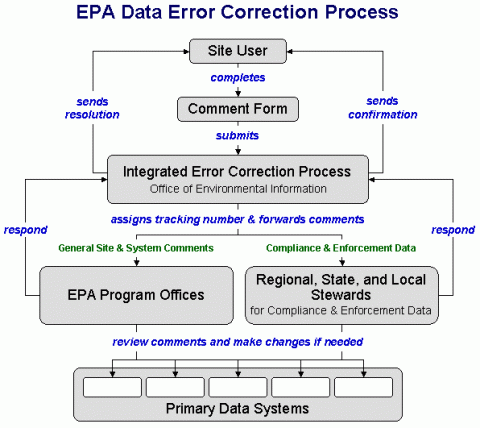
You will receive an immediate acknowledgement of receipt on the webpage and one or more status updates. EPA may ask for additional information or documentation, if it is needed (see Customer Support Standards).